
Bluehost allows you to invite users to your Account Manager using role-based access so they can help manage hosting, domains, and other services without sharing your password.
Want us to handle this for you?
If you’d rather not deal with technical settings or risk breaking something, our team can take care of it quickly and safely.
Steps to add a user:
- Log in to your Bluehost Account Manager.
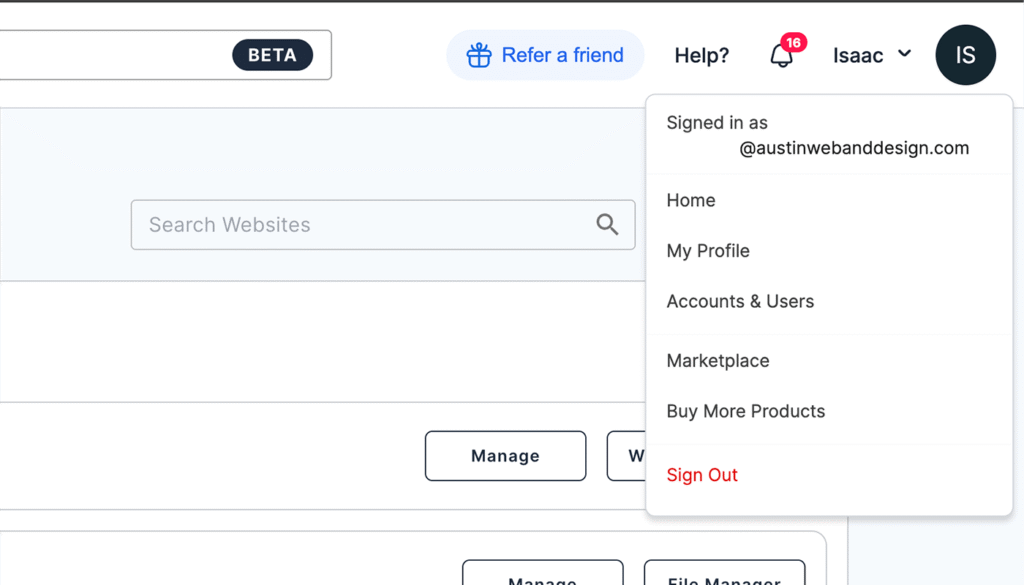
- Click the profile icon in the top right and select Accounts & Users.
- Next to the account you want to add a user to, click Manage.
- Scroll to the User Roles & Permissions section and click + ADD USER.
- Enter the user’s name and email, choose a role, and click Invite. The invitee will receive an email to create their own login.
Rather have this handled for you?
If you’d rather not deal with settings, permissions, or technical details, our team can take care of this quickly and safely.
- Correct setup and permissions
- Secure configuration (no password sharing)
- Clean documentation and handoff
You can return to the Accounts & Users page at any time to edit a user’s role or remove their access.
Common roles:
- Admin: Broad permissions, including user management.
- Tech: Technical access for things like DNS and troubleshooting.
This method lets you give access securely without sharing your main login credentials and makes it easy to manage permissions as your team grows.

Need help with this or anything else?
If you’d rather not deal with ongoing updates, settings, or technical issues, our team can handle fixes, support, and long-term maintenance for you.
Related Access Guides
Need to grant access on other platforms? These walkthroughs show how to safely give access without sharing passwords.