As awareness around website accessibility grows, many business owners are searching for tools that help meet ADA expectations without completely rebuilding their website. One of the most commonly discussed accessibility overlay tools is accessiBe. In this post, we’ll break down what accessiBe does, where it helps, its limitations, and when it may (or may not) be the right fit for your website.
Choosing the Right Website Approach
If you’re weighing DIY tools against a more intentional website, the right path usually depends on where your business is today — and where you want it to go next.
- Starting fresh or planning a new build?
Explore our Website Design services to understand how a structured, goal-driven site is built from the ground up. - Need something fully custom and built to scale?
Our Custom WordPress Website Design work focuses on performance, flexibility, and long-term growth. - Already have a site but it’s holding you back?
A strategic WordPress redesign can improve structure, speed, SEO, and usability without starting from scratch.
This article is not legal advice, and no tool or developer can guarantee full ADA compliance. Instead, the goal is to provide practical guidance so you can make informed decisions about accessibility improvements.
What Is accessiBe?
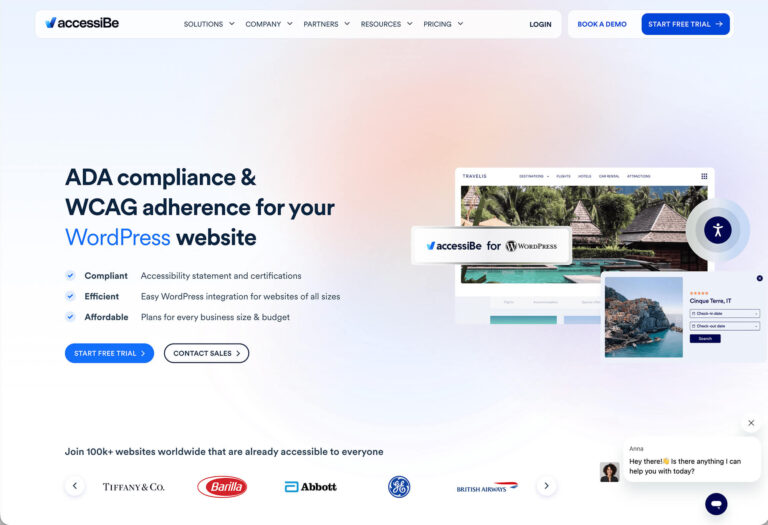
accessiBe is an automated website accessibility tool that uses AI to add an accessibility interface and behavioral adjustments to an existing website. It installs via a small JavaScript snippet and provides users with an on-screen toolbar for customizing how content is displayed and navigated.
The goal of accessiBe is to improve usability for visitors with disabilities while helping website owners demonstrate effort toward meeting accessibility standards like WCAG.
How accessiBe Works
Once installed, accessiBe operates on two primary levels:
- User interface controls that allow visitors to adjust font sizes, contrast, colors, animations, and more.
- Background AI processing that attempts to enhance screen reader support, keyboard navigation, and focus behavior.
The accessibility interface is visible to users and allows them to tailor the site experience to their needs in real time.
What accessiBe Does Well
- Quick setup with no major site rebuild required
- Provides immediate visual accessibility controls for users
- Improves keyboard navigation behavior on many sites
- Offers a visible sign of accessibility effort
- Can be useful as a temporary or supplemental solution
For small businesses or organizations with limited budgets, accessiBe can provide an entry point into accessibility while broader improvements are planned.
What accessiBe Does Not Do
It’s important to be clear about limitations. Accessibility overlay tools, including accessiBe, do not:
- Fix underlying HTML or semantic markup issues
- Correct poor heading structure or missing form labels
- Guarantee WCAG or ADA compliance
- Replace manual accessibility audits
- Prevent all legal risk related to accessibility
This is why overlays should never be viewed as a complete accessibility solution on their own.
Overlay Tools vs. Manual Accessibility Fixes
Manual accessibility improvements—such as proper semantic markup, alt text, logical heading structure, accessible forms, and keyboard-tested navigation—remain the strongest foundation for accessibility.
Overlay tools like accessiBe are best used as a supplement to those efforts, not a replacement. Many accessibility professionals recommend combining both approaches when possible.
When accessiBe May Make Sense
- Your website is already being improved with WCAG best practices
- You need a short-term accessibility enhancement
- Your budget does not allow for a full remediation project yet
- You want user-controlled accessibility options
- You understand its limitations and use it responsibly
Used in these scenarios, accessiBe can be a helpful layer that improves usability while longer-term accessibility improvements are planned.
Final Thoughts
Website accessibility is an ongoing process, not a one-time checkbox. While tools like accessiBe can provide meaningful assistance, true accessibility requires thoughtful design, clean code, and continued attention as your site evolves.
If you’re exploring ways to improve your website’s accessibility, our team can help with audits, remediation, or full redesigns built around WCAG best practices. For a broader overview of accessibility requirements, you can also read our guide on ADA compliance for websites.
Have questions or want help improving accessibility on your site? Reach out through our contact page and we’ll be happy to help.