
What Your Website Can Be
A guide for those who want to know what's possible.
Imagine you are building a car. You probably aren’t doing much more than conceiving the idea and then finding suppliers for all the bits and pieces. This page highlights our favorite suppliers of WordPress templates, web development gizmos, and other web effluvia.
Website Designs: Start Here
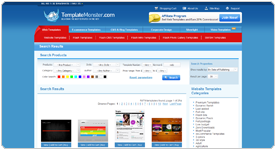
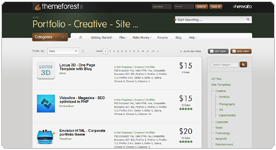
There are exactly 1.345 gazillion website designs available at any given time. Whatever message you’re trying to convey, someone has probably built a nice looking website that expresses it. Here are our favorite WordPress template providers.
TemplateMonster.com
These guys have an enormous selection that’s easily filtered and easy to preview. Their WordPress templates include better and more expressive design characteristics than anybody. At $65 or so per template, they're not cheap, but if you’re hiring us we’re going to pay for that anyway. However, be warned. These templates often show areas that are designed but not functional, like search boxes. Also, they seldom include drop-down menus. We liked TemplateMonster so much we started an affiliate relationship with them and receive a commission on the sales we bring them.
ThemeForest.com
I really want to like ThemeForest, but at the end of the day, I have yet to buy a template from them. They're still worth a look though, especially if you’re after a modern look or CMS Theme. These templates are much harder to browse, but once you do get to a live demo, you can often see it in a few different colors. Their websites typically lack the built-in personality of Template Monster but they do often include loads of functionality. If you like a modern sparse design, they’re not to be missed.
Glide Design
Glide, established in 2002, is based out of the beautiful Hill Country of Austin, Texas. They strive to create raving fans by making best-in-class websites, providing fanatical support and delivering quantifiable bottom-line results. Whether you’re starting from scratch, need a redesign, or just some refreshing on your current website, they design to meet your business goals online. They are real people who want the same thing you want: to make your product, service or organization a success. To them, it's more than just getting the job done. It's getting the job done right.
SEO, SEM, and Analytics


Google Keyword Selection Tool
No sense doing SEO or SEM for keywords nobody is searching for. This tool will tell you how many searches there are for any given keyword or key phrase.
Google Analytics
You probably already know this, but Google’s free analytics tool will tell you exactly how many hits each page is getting, where they're coming from (both geographically and referring website) even what search phrase sent them there if they’re coming from Google Search or Adwords.
Rank Checker
How do you know if your search engine rank has gone up or down? This plugin for Firefox is just the thing. It’ll give you your position on Bing, Yahoo, and Google for any list of keywords you select. Save the results in a spreadsheet and rerun the report periodically to see if you’re going up or down.
Link Diagnosis
How many backlinks do you have? More importantly, how many backlinks do your competitors have? And from where are they coming? Link Diagnosis will help you get a feel for how much work you’ll have to do to get to the top.
Xenu’s Link Sleuth
Google will punish you for having broken links on your website. The easiest way to find broken links? Download this (alarmingly cheesy looking) little program. What it lacks in slick interface it makes up for in elegantly simple functionality. Surprisingly, this is the industry standard. If it ain’t broke, don’t fix it.
Google’s own blog and Matt Cutts’s blog
Accept no substitute. These are the ne plus ultra source for current news regarding SEO. Whatever else you’re reading, the author of that is reading these, if they know what they’re doing.

Do It Yourself Maintenance
Austin Web & Design's Do it Yourself Blog
Austin Web & Design's tips and tricks for website maintenance, WordPress updating, and backing up your website files and databases.
In No Particular Order
VPS.net
Hostgator, Hostmonster, and Greengeeks offer what's called "Shared Hosting," which is fine for most websites, but if you're expecting to have more than twenty users on your website at the same time, and especially if your website is fairly interactive, you may want to consider investing in VPS (Virtual Private Server) hosting. Our favorite VPS vendor is VPS.net. They have great service and are a great value. Best of all, you can easily scale your service up as your traffic grows. It can even be set to scale up automagically and on demand, but beware, it will not scale down afterwards unless you tell it to.
CodeCanyon.com
A solid collection of useful widgets at reasonable prices
S2 Member Free and Pro
S2Member Pro is our favorite membership plugin. The free version is very powerful, and the paid one adds crucial functions like support for recurring payments. The one-time fee for lifetime access means this is a pretty great value as well.
GreenGeeks.com
As fast and affordable as the rest, but three times as green, we've recently signed on as affiliate partners of GreenGeeks.com. Use coupon TAKE20OFF to save an additional 20% off their already low prices. Unlike the competition, after the initial low-price period, the service only goes up $1/month. Most everyone else's prices double at renewal time. This means GreenGeeks is not the greenest option, they're the most affordable choice in the long run.
Website Spellchecker
We use this religiously at the end of every project. Amazing the stuff you won’t notice is misspelled.
Google Properties
Google is like the web’s own kindly, wealthy aunt. For web building, their Calendar, Picassa, YouTube, Google Docs (like Word), and Google Docs (Like Excel) Survey Form are incredibly easy to use and embed in any website.
HIPAA Compliant Hosting
The Rolls Royce of hosting solutions, this is necessary if you are building an application that touches Personally Identifiable Information (PII) in any way, in a medical capacity. From my survey of the industry, LuxSci provides the lowest cost and a great, HIPAA compliant solution.
HostMonster.com
We’ve been using HostMonster for hosting our website and many of our clients’ websites. They’re cheap, have pretty consistent up–time, and have good customer service. HostPeek offers an interesting comparison. Note: We like Hostmonster so much, we created an affiliate relationship with them so we can get a commission on the clients we bring them.
According to Hostpeek, this is the fastest host for WordPress websites. As an added bonus, they're Texans! Austin Web and Design is a HostGator affiliate as well, and we receive a commission on the business we bring them. Use coupon code AWD25PERCENT to save an extra 5% off their introductory price.
GoDaddy.com
GoDaddy's strength is they’re really set up to help non–technical people handle their various needs. They’re not the very best value, but their excellent service makes up for it.
jQuery Plugins
There’s a dizzying array of things you can do with JavaScript, and jQuery plugins make them accessible and therefore cheap to implement. Browsing this page won’t be very useful for the nontechnical, but I’d be remiss not to include it.
Constant Contact
Probably the most popular broadcast e-mail tool out there. If you're doing an e–mail newsletter or any other e–mail marketing, you won’t go wrong here.
Paypal
Want to sell something or collect donations, but bit have a full–blown shopping cart? PayPal will give you a buy–now button or even a basic cart tool for free. The fees aren’t exactly competitive ($0.30 per transaction plus 3%), but unless you expect to be rakin’ it in, that’s nothing.
iStockphoto and Stock.XCHNG
Stock photos and illustrations. Stock.XCHNG is free, but you get what you pay for.
WPEngine Hosting
More expensive hosting for when you expect to have lots of simultaneous website users and/or when page load speed is a priority. A great fit for traditional WordPress websites (like this one). Not appropriate for websites with complex functionality. Ask us if you're not sure.
Capital Bankcard
Capital Bankcard is our preferred payment method. Apply for yours here.